
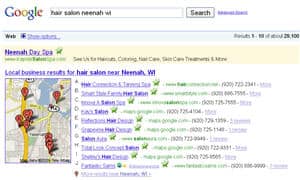
 Does your business location show up on Google Maps? If so, are you fully taking advantage of it?
First, let’s find out if you have an accurate listing. Go to http://maps.google.com and search using your business name. Not there? Just add your business directly through the Local Business Center.
If you find your business, review your listing. Clicking on the name of your business will bring up a white information bubble with a “Claim your business” link or if you’ve already taken that step, an “edit” link.
Once you’ve claimed your business listing, Google will verify that you’re the business owner by phone (immediately – an automated call) or you can choose to have them mail you a postcard. We’ve done it both ways, but the phone call route allows you to get it done all in one sitting. Once this step is complete, you’ll be able to log-in and optimize your local business listing.
Your Google Local Business Center listing should bring up an accurate location, phone number, and Web site address at the very least. But you should also include hours of operation, payments accepted, photos and even video. Notice also that your customers can review your business right from within Google Maps, but it will also pull other reviews from 3rd party review sites on the Internet automatically.
To create an effective listing, make sure to submit your:
- Company/organization name, physical address or PO Box, and phone number
- Web site and Email address
- Business description – make use of the information you wrote last week when you defined your business
- Categories – Choose categories that accurately and specifically describe your business. This helps you show up in the searches where you want to be found.
- Hours of operation
- Payment options
- Photos and videos – this will help you stand out from the crowd!
- Any additional details that your prospective customer would find useful
Do you have questions or comments about Google Local? Is this information useful to you? Let us know with your comments below.
Related Articles:
Does Your SEO Expert Know What He’s Talking About?
Social Networking Leads to Social Search

Leave a Reply